반응형
보통 Plater에 커스텀 시전바 스크립트를 추가하게되면
[시전 색상 및 이름]에 시전바가 보이지 않아 허수아비를 통해 미리보기가 안됩니다.
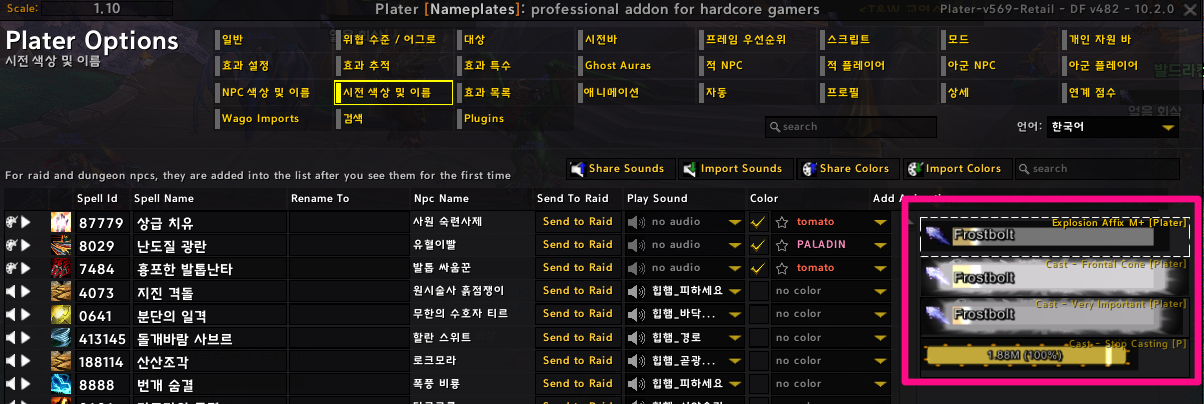
이런 경우 시전바를 추가하는 두가지 방법입니다.
1. 가장 쉬운 방법은 스크립트의 이름을 변경하는 방법입니다.
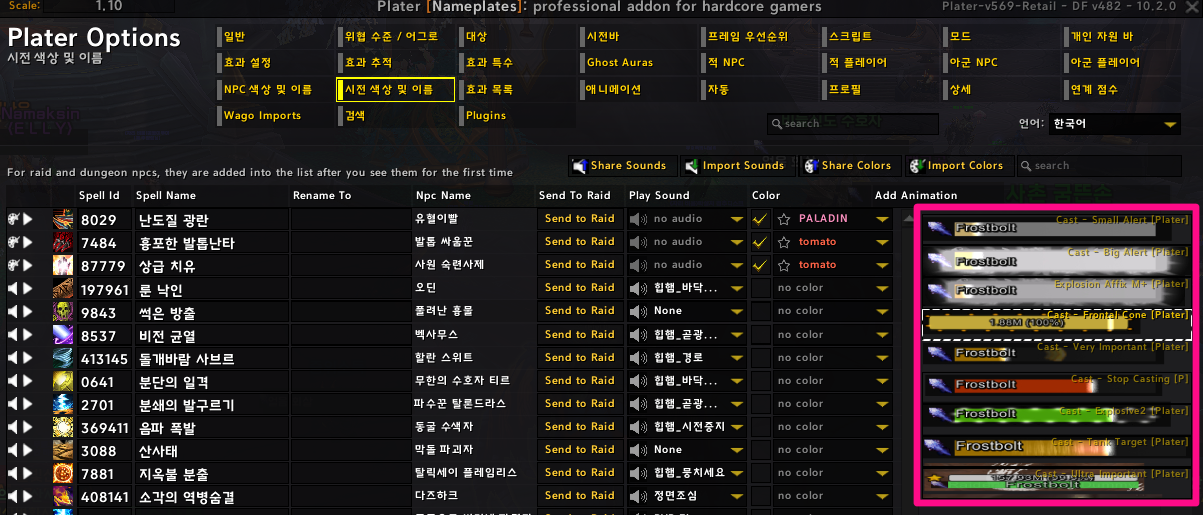
예를들어 Cast - Frontal Cone [OPS] > Cast - Frontal Cone [Plater]로 변경하면 반영됩니다.
이때 Plater 기본값에 지정된 스크립트 이름과 동일하지 않은 스크립트는 반영되지 않는 단점이 있습니다.
2. 다른 방법으로는 아래처럼 Plater_ScriptLibrary.lua 파일을 메모장으로 열어서
직접 스크립트 이름을 입력하는 방법입니다.
platerInternal.Scripts.DefaultCastScripts = {
	"Cast - Small Alert [Plater]",
	"Cast - Big Alert [Plater]",
	"Cast - Quick Flash [P]",
	"Explosion Affix M+ [Plater]",
	"Cast - Frontal Cone [Plater]",
	"Cast - Ultra Important [P]",
	"Cast - Very Important [Plater]",
	"Cast - Glowing [P]",
	"Cast - Circle AoE [P]",
	"Cast - Shield Interrupt [P]",
	"Cast - Stop Casting [P]",
	"Cast - Big Alert [OPS]",
	"Cast - Frontal Cone [OPS]",
	"Cast - Tank Target [OPS]",
	"Cast - Ultra Important [OPS]",
	"Cast - Very Important [OPS]",
}
반응형
'World of Warcraft > [WoW] Plater' 카테고리의 다른 글
| [와우 내부전쟁] 도핑 위크오라 (24.10.15) (8) | 2024.10.16 |
|---|---|
| [와우 내부전쟁] Plater 퀘스트 아이템 위치 변경하는 방법 (0) | 2024.09.06 |
| 와우 용군단 Plater 이름표 크기 높이 두께 조절하는 방법 (2) | 2023.11.15 |
| 와우 Plater 입문 가이드 #08. 효과 추적/효과 특수/Ghost Auras (3) | 2023.10.31 |
| 와우 Plater 시전바, 차단 색상 모드 Enhanced Enemy Castbar (0) | 2023.10.25 |

